


you can repair the issue using this script (this script is not mine)
Use [master]
EXEC sp_resetstatus RecoveryPendingModeDB
ALTER DATABASE RecoveryPendingModeDB SET EMERGENCY DBCC checkdb('RecoveryPendingModeDB')
ALTER DATABASE RecoveryPendingModeDB SET SINGLE_USER WITH ROLLBACK IMMEDIATE
DBCC CheckDB('RecoveryPendingModeDB',REPAIR_ALLOW_DATA_LOSS)
ALTER DATABASE RecoveryPendingModeDB SET MULTI_USER
EXEC sp_resetstatus 'RecoveryPendingModeDB'
Replace RecoveryPendingModeDB with your actual database name with status 'Recovery Pending'.
You can read in detail here: https://www.zubairalexander.com/blog/how-to-fix-sql-server-databases-in-suspect-or-recovery-pending-mode/


Words of the day
Permeate /pərmēˌāt/ (v)
= spread through out something.
= pervade.
Ex:
- Women have yet to permeate the world's top military roles.
- The virtual world appears to be a part of our society that is here to stay, and will more than likely continue to increase. It will permeate more of our children’s lives as they grow up, much more than ours. Remember that it is okay to monitor what your child does on the computer or smart phone.
Unleash /ˌənˈlēSH/ (v)
= release, free
Ex:
- The Air Force Still Hasn't Unleashed the Full Potential of the F-35 (Yet)
- R1bn (R1 billion) fine for unleashed dogs ‘not amusing’
While a municipal sign threatening to issue people with a R1-billion fine if they walk their animals without a leash on Sardinia Bay beach has raised a few laughs, the Nelson Mandela Bay municipality was not amused by the gaffe.
(Note: R1 is South Africa Rand currency)
Condense /kənˈdens/ (v)
= make something denser or more concentrated.
= change or cause to change from a gas or vapor to a liquid.
Render /ˈrendər/ (v)
= provide, give (a service, a help, etc.)
= submit, present, hand over, deliver for inspection or consideration
= make
= represent artistically
= translate
= perform
Ex;
- Money serves as a reward for a service rendered.
- He will render his tax return at the end of the year.
- The rain rendered his escape impossible.
- The eyes and cheeks are exceptionally rendered.
- The phrase was rendered into English.
- The character are vividly rendered.
= spread through out something.
= pervade.
Ex:
- Women have yet to permeate the world's top military roles.
- The virtual world appears to be a part of our society that is here to stay, and will more than likely continue to increase. It will permeate more of our children’s lives as they grow up, much more than ours. Remember that it is okay to monitor what your child does on the computer or smart phone.
Unleash /ˌənˈlēSH/ (v)
= release, free
Ex:
- The Air Force Still Hasn't Unleashed the Full Potential of the F-35 (Yet)
- R1bn (R1 billion) fine for unleashed dogs ‘not amusing’
While a municipal sign threatening to issue people with a R1-billion fine if they walk their animals without a leash on Sardinia Bay beach has raised a few laughs, the Nelson Mandela Bay municipality was not amused by the gaffe.
(Note: R1 is South Africa Rand currency)
Condense /kənˈdens/ (v)
= make something denser or more concentrated.
= change or cause to change from a gas or vapor to a liquid.
Render /ˈrendər/ (v)
= provide, give (a service, a help, etc.)
= submit, present, hand over, deliver for inspection or consideration
= make
= represent artistically
= translate
= perform
Ex;
- Money serves as a reward for a service rendered.
- He will render his tax return at the end of the year.
- The rain rendered his escape impossible.
- The eyes and cheeks are exceptionally rendered.
- The phrase was rendered into English.
- The character are vividly rendered.
Have you ever used MsBuild with Multi-core supported to boost the build speed of your projects (probably more than 100) to improve your productivity?
Have you ever used MsBuild with Multi-core supported to boost the build time of your projects (probably more than 100) to improve your productivity?
We can either build the whole solution or just specific project from Visual Studio using MsBuidl with Multi-Core supported.
I have used it for a while now I think already more than a year and happy with it.
We can print the output to VS's Build Output or print to console (I prefer the console.)
Using MsBuild to build our stuffs we can use Visual Studio at ease I knew that some environment that has less RAM might probably encounter an issue that when you build your projects/solution
from Visual Studio it just halted (or even the text/codes/tabs are mixed up when you are debugging) and you might really hate it! I do.
So using MsBuild I am happy with that so far. My productivity is better. I feel less stress when building a huge solution consisting more than 170 projects :).
To be continued, I will write a step by step on how to do MsBuild from VS.
Peace Out!
RENAME SQL SERVER database name in Multiple user mode with killing all users' session (FORCE RENAME))
*Note: it has to be run against database master (select on master -> new query or add use master)
DECLARE @ID INT
DECLARE @MSG CHAR(8)
While 1 = 1
BEGIN
Set
RowCount 1
SELECT
@id = spid
FROM
Master..Sysprocesses P,
Master..Sysdatabases D
WHERE
D.Name= N'MYDATABASE'
AND
D.dbid = P.dbid
IF
@@rowcount =
0
break
SELECT
@msg = 'KILL ' + convert(char(8) ,@ID)
Print
@msg
EXEC( @msg)
--break
END
GO
Alter database
set MULTI_USER
with rollback immediate
exec sp_renamedb N'MYDATABASE',N'MYDATABASE_STH_ELSE'
To run Batch Script as Administrator can be a little challenge.
Sometimes you need batch script to run as administrator:
There is 2 alternatives:
1- Convert your batch script to exe and make exe run as administrator:
For example:

There is 2 alternatives:
1- Convert your batch script to exe and make exe run as administrator:
2- Add another batch script to open your batch script as administrator:
For example:
ExecuteDBBlank.bat will execute DBBlankExecution.bat as administrator but it requires you to enter password administrator:
ExecuteDBBlank.bat
runas /noprofile /user:PC_NAME\Administrator C:\Users\COUK\Desktop\DBBlankExecution.bat
Where PC_NAME is your PC name and your main execution batch file can be located at any directory please update yours accordingly.
Where PC_NAME is your PC name and your main execution batch file can be located at any directory please update yours accordingly.
If we click on ExecuteDBBlank.bat it will ask you for Administrator password if you enter correctly DBBlankExecution.bat will be executed:

If you sometimes have to write some batch script (I do mainly for automation stuff) here is a very good complete DOS tutorial

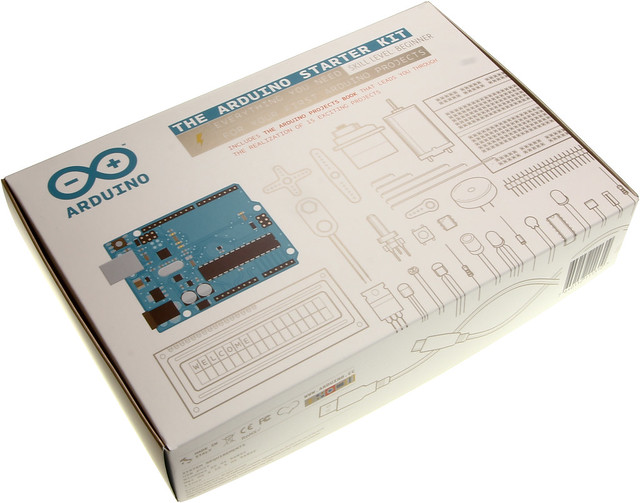
If you are a fan of building Robot or maybe a fan of Arduino (I am.)
Checking specific process listening on specific port
- Microsoft Start button + R
- Type CMD
- netstat -aon | findstr 0.0:PORT_NUM
*PORT_NUM is your port number.
Ex: netstat -aon | findstr 0.0:8080

- Type CMD
- netstat -aon | findstr 0.0:PORT_NUM
*PORT_NUM is your port number.
Ex: netstat -aon | findstr 0.0:8080

Curently to activate license for monotouch per IMAC, you have to install later version of Xamarin which probably will come with Xamarin.IOS Framework that your existing IOS application is not supported
Curently to activate license for monotouch per IMAC, you have to install later version of Xamarin which probably will come with Xamarin.IOS Framework that your existing IOS application is not supported.
So how to activate license for monotuch per IMAC without having to install Xamarin.
Here is the work around (so-called Offline Activation http://docs.xamarin.com/guides/ios/getting_started/installation/offline_activation):
1- Install Xamrin and activate the IMAC
2- Go to Finder and Hold down Ctrl Key on Go Menu in Finder and you will see Library
3- Click on Library and go to Library\Monotouch\ And back up License.v2
4- Erase HD, Redownload Lion OS, Re-install, and Clone Co-worker’s HD using Migration/Assistance tool so that you do not have to re-install
all the applications again
(tip: http://www.youtube.com/watch?v=OtUw-vo606w)
- Then past the back up of License.v2 under Library\Monotouch\ and It compliles successfully now.
There you go! try to compile your project now.
Remark of the issues that leads to the solution above:
- If we do not activate the monotouch per IMAC we will get error - mtouch exited with code 98
that means you have not activated your monotouch on your MAC system.
http://www.gregoryvarghese.com/index.php/mtouch-exited-with-code-98/
- If you add reference to dll Microsoft.Synchronization.Data.dll in your project mainly for client/server database Synchronization:
after you install later version of Xamarin to activate your IMAC you might get errors "is marked as an override but no suitable method found to override" on Methdo ApplyChange(...) which is an abstract method
on Base class ClientSynProvider
public abstract SyncContext ApplyChanges (
SyncGroupMetadata groupMetadata,
DataSet dataSet,
SyncSession syncSession
)
Following the solution I have mentioned got rid of these issues.
Fixing Bugs vs Working on Product Features
Being a software engineering, we always wish to be part in a challenging projects balancing with bug fixing. Fixing bugs on daily basis will at least improve software's engineering knowledge but if compared to software engineering working mainly on production features; of course, they will learn a lots more than just fixing bugs.
However, the positive points of SE got from working on fixing the bugs are:
- Improve patient.
- Improve their judgment (a good SE in fixing bug, he or she is not immediately starting to debug he or she will first try to understand the flow of the code and then judge and debug.)
- Improve their understanding about the productions' functionality much more because he or she will have fixed bugs in various areas of the application with in turn help them understanding in those areas.
Fixing bugs somehow SE will run into a feature-like bugs but as said working with features is more interesting , exciting, self-improvement and last but not least gains a vast of knowledge.
However, the positive points of SE got from working on fixing the bugs are:
- Improve patient.
- Improve their judgment (a good SE in fixing bug, he or she is not immediately starting to debug he or she will first try to understand the flow of the code and then judge and debug.)
- Improve their understanding about the productions' functionality much more because he or she will have fixed bugs in various areas of the application with in turn help them understanding in those areas.
Fixing bugs somehow SE will run into a feature-like bugs but as said working with features is more interesting , exciting, self-improvement and last but not least gains a vast of knowledge.
Word of the day
1- Bees Knees (adj):
In Eng: very good, the best...
In Khmer: ល្អណាស់, ល្អជាងគេ
Ex:
The pants you are wearing are the bee's knees.
That jazz band is the bees knees.
Her cooking is the bees knees.
Reason of the creation of this word:
"When bees flit from flower to flower the nectar sticks to their legs. The phrase "bee's knees" means sweet and good, because the knees of the bee are where all the sweet, good stuff is collected."
ហេតុផលនៃការបង្កើតពាក្យនេះ:
"នៅពេលឃ្មុំហើរយ៉ាងលឿនពីកន្លែងមួយទៅកន្លែងមួយទឹកដមផ្កាស្អិតជាប់ជើងរបស់ពួកេវា។ឃ្លា"bee's knees(ជង្គង់ឃ្មុំ)មានន័យថាផ្អែមហើយល្អពីព្រោះជង្គង់ឃ្មុំគឺជាទីកន្លែងជាតិផ្អែមនឹងរបស់ល្អៗត្រូវបានប្រមូល"
2- Nectar (n):
In Eng: A sugary fluid secreted by plants, esp. within flowers to encourage pollination by insects and collected by bees to make honey.
In Khmer:
វត្ថុរាវដែលមានជាតិស្ករផ្អែមផលិតចេញពីរុក្ខជាតិជាពិសេសនៅក្នុងផ្ការដើម្បីទាក់ទាញការពង្រាយលំអងផ្ការពីពពួកសត្វល្អិតនឹងប្រមូលពីពពួកឃ្មុំដើម្បីបង្កើតជាទឹកឃ្មុំ។
;ទឹកដមផ្កា
In Eng: very good, the best...
In Khmer: ល្អណាស់, ល្អជាងគេ
Ex:
The pants you are wearing are the bee's knees.
That jazz band is the bees knees.
Her cooking is the bees knees.
Reason of the creation of this word:
"When bees flit from flower to flower the nectar sticks to their legs. The phrase "bee's knees" means sweet and good, because the knees of the bee are where all the sweet, good stuff is collected."
ហេតុផលនៃការបង្កើតពាក្យនេះ:
"នៅពេលឃ្មុំហើរយ៉ាងលឿនពីកន្លែងមួយទៅកន្លែងមួយទឹកដមផ្កាស្អិតជាប់ជើងរបស់ពួកេវា។ឃ្លា"bee's knees(ជង្គង់ឃ្មុំ)មានន័យថាផ្អែមហើយល្អពីព្រោះជង្គង់ឃ្មុំគឺជាទីកន្លែងជាតិផ្អែមនឹងរបស់ល្អៗត្រូវបានប្រមូល"
2- Nectar (n):
In Eng: A sugary fluid secreted by plants, esp. within flowers to encourage pollination by insects and collected by bees to make honey.
In Khmer:
វត្ថុរាវដែលមានជាតិស្ករផ្អែមផលិតចេញពីរុក្ខជាតិជាពិសេសនៅក្នុងផ្ការដើម្បីទាក់ទាញការពង្រាយលំអងផ្ការពីពពួកសត្វល្អិតនឹងប្រមូលពីពពួកឃ្មុំដើម្បីបង្កើតជាទឹកឃ្មុំ។
;ទឹកដមផ្កា
Resolve Ubuntu 12.04 stuck at installing VMware Tool
Recently I tried to install Ubuntu 12.04 on my new laptop HP Envy 17 and It always stuck at Installing Vmware Tool like following:
******************************************************************
******************************************************************
Vmware Easy Install

PLEASE WAIT! VMware Tools is currently being
installed on your system. Depending on the
version of Ubuntu you are installing, you may
log in below and use the system during
intallation. Otherwise, please wait for the
graphical environment to launch. Thank you.

******************************************************************
******************************************************************
ubuntu login:_
To resolve the issue:
Follow the 3 Steps ...
Also after reboot even I did full screen from VMware Player the Ubuntu screen is still small so what I have to do is just go to setting icon and go to Displays.... like following picture and try to change resolution till you find the best one:

Then you will be asked to login to your system graphically and everything is fine.
Hope it helps!
Vic
- Restore the
/etc/issuefile:
sudo mv /etc/issue.backup /etc/issue - Restore the
/etc/rc.localfile:
sudo mv /etc/rc.local.backup /etc/rc.local - Restore the
/etc/init/lightdm.conffile:
sudo mv /opt/vmware-tools-installer/lightdm.conf /etc/init
Also after reboot even I did full screen from VMware Player the Ubuntu screen is still small so what I have to do is just go to setting icon and go to Displays.... like following picture and try to change resolution till you find the best one:

Then you will be asked to login to your system graphically and everything is fine.
Hope it helps!
Vic

Words of the day
Sloppy (adj) = careless.
Ex: You are such a sloppy guy. = You are such a careless guy.
Ex: Software Engineer should have a mentality of always writing the best code not the sloppy code.
everything but the kitchen sink = it is an idiom which means everything that can be possible
Ex: Shellie is moving out to a new place and she takes everything but the kitchen sink to her new place.
= Shellie is moving out to a new place and she takes everything that she can possible take them with her to her new places.
Ex: You are such a sloppy guy. = You are such a careless guy.
Ex: Software Engineer should have a mentality of always writing the best code not the sloppy code.
everything but the kitchen sink = it is an idiom which means everything that can be possible
Ex: Shellie is moving out to a new place and she takes everything but the kitchen sink to her new place.
= Shellie is moving out to a new place and she takes everything that she can possible take them with her to her new places.
What is a Column Vector?
a column vector or column matrix is an m × 1 matrix, i.e. a matrix consisting of a single column of m elements.


What is orthogonal, esp in Computer Science?
In geometry, orthogonal means "involving right angles" (from Greek ortho, meaning right, and gon meaning angled). The term has been extended to general use, meaning the characteristic of being independent (relative to something else). It also can mean: non-redundant, non-overlapping, or irrelevant. In computer terminology, something - such as a programming language or a data object - is orthogonal if it can be used without consideration as to how its use will affect something else.
In itself, a programming language is orthogonal if its features can be used without thinking about how that usage will affect other features. Pascal is sometimes considered to be an orthogonal language, while C++ is considered to be a non-orthogonal language.
Features of a program that is compatible with its own earlier versions - this is called backward compatible - have an orthogonal relationship with the features of the earlier version, because they are mutually independent; you don't have to worry about how the use of one version's features will cause an unintended effect because of an interaction with those of the other version. Both the features and the programs can be said to be mutually orthogonal.
The length of time data is kept in storage in a computer system is known as its persistence. Orthogonal persistence is the quality of a programming system that allows a programmer to treat data similarly without regard to the length of time the data is kept in storage. Data is stored for varying lengths of time; some is stored very briefly and some is stored relatively permanently. Frequently, a programmer must use different approaches and separate coding to access data depending on whether it is stored for a long time or a short time. Using a programming system with orthogonal data persistence allows the programmer to treat data the same way regardless of its persistence characteristic, saving programming time and making it easier to enforce referential integrity (a type of constraint applied to ensure correct data validity).
In short:
----------------------------------------------------------------------------------------------------------
Orthogonality comes from the Greek orthos, meaning "straight", and gonia, meaning "angle". It has somewhat different meanings depending on the context, but most involve the idea of perpendicular, non-overlapping, or uncorrelated.
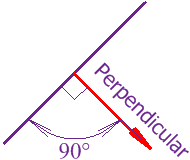
Ex: Below Line Segment AB is orthogonal to line Segment CD.
Two vectors are orthogonal if and only if theirdot product is zero

Orthogonal = perpendicular:

In itself, a programming language is orthogonal if its features can be used without thinking about how that usage will affect other features. Pascal is sometimes considered to be an orthogonal language, while C++ is considered to be a non-orthogonal language.
Features of a program that is compatible with its own earlier versions - this is called backward compatible - have an orthogonal relationship with the features of the earlier version, because they are mutually independent; you don't have to worry about how the use of one version's features will cause an unintended effect because of an interaction with those of the other version. Both the features and the programs can be said to be mutually orthogonal.
The length of time data is kept in storage in a computer system is known as its persistence. Orthogonal persistence is the quality of a programming system that allows a programmer to treat data similarly without regard to the length of time the data is kept in storage. Data is stored for varying lengths of time; some is stored very briefly and some is stored relatively permanently. Frequently, a programmer must use different approaches and separate coding to access data depending on whether it is stored for a long time or a short time. Using a programming system with orthogonal data persistence allows the programmer to treat data the same way regardless of its persistence characteristic, saving programming time and making it easier to enforce referential integrity (a type of constraint applied to ensure correct data validity).
In short:
----------------------------------------------------------------------------------------------------------
Orthogonality comes from the Greek orthos, meaning "straight", and gonia, meaning "angle". It has somewhat different meanings depending on the context, but most involve the idea of perpendicular, non-overlapping, or uncorrelated.
Ex: Below Line Segment AB is orthogonal to line Segment CD.
Two vectors are orthogonal if and only if theirdot product is zero

Orthogonal = perpendicular:
per·pen·dic·u·lar/ˌpərpənˈdikyələr/
| Adjective: |
| |
| Noun: |
| |
| Synonyms: |
adjective. vertical - upright
| |
First hand-on OpenGL with Visual C++
First we have setup OpenGL in Windows:
2 steps below need to be taken care of:

Step 1:

Step 2:

Open Visual Studio 2008:
File -> New Project -> Visual C++ -> General -> Empty Project
Right Click on Source Files -> New Item... -> C++ file (.cpp)

Write code below:
[Code]
// @Author: Vic
// @Date: 9/21/2012 2:38AM
#include "stdafx.h"
#include // this include also gl.h and glu.h
void init(void)
{
glClearColor(1.0 , 1.0 ,1.0 , 0.0); // Set display-window color to white
glMatrixMode(GL_PROJECTION); // Set projection parameter
gluOrtho2D(0.0,200.0,0.0,150.0); //
}
void lineSegment(void){
glClear(GL_COLOR_BUFFER_BIT); // Clear display window.
glColor3f(1.0, 0.0, 0.0); // Set line segment color to red (R,G,B)
glBegin(GL_LINES);
glVertex2i(180,15); // Specify line-segment geometry x1,y1 ; x2,y2
glVertex2i(10,145);
glEnd();
glFlush(); // Profess all OpenGL routines as quickly as possible.
}
void main(int argc, char** argv)
{
glutInit(&argc, argv); // Initialize GLUT dll that we copy it in c:\windows\System32
glutInitDisplayMode (GLUT_SINGLE | GLUT_RGB); // set display mode
glutInitWindowPosition (50,100); // set top-left display window position
glutInitWindowSize(400,300); // set display window width / height
glutCreateWindow("An Example OpenGL Program"); // Create display window title.
init(); // Execute initialization procedure
glutDisplayFunc(lineSegment); // Send graphics to display window. our function above main
glutMainLoop(); // Display everything and wait.
}
[/Code]
Run it:
Output:

Congratulation you have run your first C++ OpenGL.
Vic,
Correction for the header files I have made a mistake while commenting and accidentally delete the Glut header file declaration you would find the correction below:
#include "stdafx.h"
#include "GL/glut.h"// this include also gl.h and glu.h
2 steps below need to be taken care of:

Step 1:

Step 2:

Open Visual Studio 2008:
File -> New Project -> Visual C++ -> General -> Empty Project
Right Click on Source Files -> New Item... -> C++ file (.cpp)

Write code below:
[Code]
// @Author: Vic
// @Date: 9/21/2012 2:38AM
#include "stdafx.h"
#include
void init(void)
{
glClearColor(1.0 , 1.0 ,1.0 , 0.0); // Set display-window color to white
glMatrixMode(GL_PROJECTION); // Set projection parameter
gluOrtho2D(0.0,200.0,0.0,150.0); //
}
void lineSegment(void){
glClear(GL_COLOR_BUFFER_BIT); // Clear display window.
glColor3f(1.0, 0.0, 0.0); // Set line segment color to red (R,G,B)
glBegin(GL_LINES);
glVertex2i(180,15); // Specify line-segment geometry x1,y1 ; x2,y2
glVertex2i(10,145);
glEnd();
glFlush(); // Profess all OpenGL routines as quickly as possible.
}
void main(int argc, char** argv)
{
glutInit(&argc, argv); // Initialize GLUT dll that we copy it in c:\windows\System32
glutInitDisplayMode (GLUT_SINGLE | GLUT_RGB); // set display mode
glutInitWindowPosition (50,100); // set top-left display window position
glutInitWindowSize(400,300); // set display window width / height
glutCreateWindow("An Example OpenGL Program"); // Create display window title.
init(); // Execute initialization procedure
glutDisplayFunc(lineSegment); // Send graphics to display window. our function above main
glutMainLoop(); // Display everything and wait.
}
[/Code]
Run it:
Output:

Congratulation you have run your first C++ OpenGL.
Vic,
Correction for the header files I have made a mistake while commenting and accidentally delete the Glut header file declaration you would find the correction below:
#include "stdafx.h"
#include "GL/glut.h"
Wisdom for today 10th of September 2012
twenty-one words from Thomas Carlyle.
"Our main
business is not to see what lies dimly at a distance, but to do what lies clearly at hand."

Windows is suck! Graphics.h is not supported!
I want to run Cohen-Sutherland using C++ from Wikipedia Link:
http://en.wikipedia.org/wiki/Cohen%E2%80%93Sutherland
Using Turbo C++ but still got an issue that we cannot run application with header file Graphics.h because it is mainly supported only in Unix: So probably I will have to converted it to Java Applet tonight!
[Code]
const int INSIDE = 0; // 0000
const int LEFT = 1; // 0001
const int RIGHT = 2; // 0010
const int BOTTOM = 4; // 0100
const int TOP = 8; // 1000
OutCode ComputeOutCode(double x, double y)
{
OutCode code;
code = INSIDE; // initialised as being inside of clip window
if (x < xmin) // to the left of clip window
code |= LEFT;
else if (x > xmax) // to the right of clip window
code |= RIGHT;
if (y < ymin) // below the clip window
code |= BOTTOM;
else if (y > ymax) // above the clip window
code |= TOP;
return code;
}
void CohenSutherlandLineClipAndDraw(double x0, double y0, double x1, double y1)
{
OutCode outcode0 = ComputeOutCode(x0, y0);
OutCode outcode1 = ComputeOutCode(x1, y1);
bool accept = false;
while (true) {
if (!(outcode0 | outcode1)) {//Bitwise OR is 0. Trivially accept and get out of loop
accept = true;
break;
} else if (outcode0 & outcode1) {//Bitwise AND is not 0. Trivially reject and get out of loop
break;
}
else {
double x, y;
OutCode outcodeOut = outcode0? outcode0 : outcode1;
if (outcodeOut&TOP){ // point is above the clip rectangle
x = x0 + (x1-x0)*(ymax-y0)/(y1-y0);
y = ymax;
} else if(outcodeOut & BOTTOM) { // point is below the clip rectangle
x = x0 + (x1 - x0) * (ymin - y0) / (y1 - y0);
y = ymin;
} else if (outcodeOut & RIGHT) { // point is to the right of clip rectangle
y = y0 + (y1 - y0) * (xmax - x0) / (x1 - x0);
x = xmax;
} else if (outcodeOut & LEFT) { // point is to the left of clip rectangle
y = y0 + (y1 - y0) * (xmin - x0) / (x1 - x0);
x = xmin;
}
if (outcodeOut == outcode0) {
x0 = x;
y0 = y;
outcode0 = ComputeOutCode(x0, y0);
} else {
x1 = x;
y1 = y;
outcode1 = ComputeOutCode(x1, y1);
}
}
rectangle(xmin, ymin, xmax, ymax);
line(x0, y0, x1, y1);
getch();
// cleardevice();
}
if(accept) {
rectangle(xmin, ymin, xmax, ymax);
line(x0, y0, x1, y1);
printf("\n\tpoints p0=(%d,%d) p1=(%d,%d)",(int)x0,(int)y0,(int)x1,(int)y1);
}
}
int main(int argc, char** argv)
{
int gd=DETECT,gm;
initgraph(&gd,&gm,NULL);
outtextxy(300,10,"BEFORE LINE CLIPPING");
rectangle(xmin,ymin,xmax,ymax);
line(10,200,350,300);
getch();
cleardevice();
outtextxy(300,10,"AFTER LINE CLIPPING");
CohenSutherlandLineClipAndDraw(10,200,350,300);
getch();
closegraph();
return 0;
}
[/Code]
Finally I have converted it to Applet application below and the algorithm is exactly like the one from C++ above I like the way it is implemented and I made slightly modification to make people really can understand Cohen-Sutherland by just reading the code implementation below (the differences are just adding mouseListener event MousePressed for capturing coordinates of both endpoints the rest algorithm are almost exactly the same) like I have mentioned before this version was converted from above as we cannot run above C++ within Windows because only Unix OS support Graphics.h:
[Code]
/**
* @author VIC
* @date 9-6-2012
* Cohen-SutherLand implementation in steps below in Applet
* 1- Init add MouseLister for Call back
* When there is event mousePressed is received
* 2- when received capture x,y from Applet windows
* for first Coordinate and Last Coordinate
* 3- And start painting once we get both
* first and last point
* 4- we will always repaint our rectangle
* and paint line against Cohen-Sutherland
* LineClipping Algorithm
* 5- Cohen-Sutherland LineClipping
* a- Computer OutCode for first Coordinate
* b- Computer OutCode for Last Coordinate
* d- In life time While loop [While(true)]
* d-1- Check if both outCode first Coordinate
* And outCode Last Coordinate == 0
* => It is a trivial accepted (both points are
* inside rectangle)
* so just return true and draw it
* as usual
* d-2- Check if outCode 1st Coo. AND 2nd Coo.
* != 1
* => it is trivial rejected (both points are
* outSide rectangle)
* so just return false and don't draw it
* d-3- In case above 2 cases are not true
* that mean LineClipping or at least one coordinate
* pair is outside rectangle
* => Calculate the outer end point against
* Top,Bottom,Right,Left to check if the outer point
* is in those area
* d-4- Move to the intersection point
* => Keeping checking it till trivial
* Accept or Trivial Reject
* And that is it.
*
*/
import java.awt.*;
import java.applet.Applet;
import java.awt.event.*;
//just a simple class to store our coordinate x, y Ex: x1,y1 or x2,y2
class Coordinate {
double x, y;
// Constuctor
Coordinate(double thisx, double thisy) {
x = thisx;
y = thisy;
}
}
// Main Class linceClipper extends Applet (we use Awt not swing if it is swing
// It should have been JApplet)
public class lineClipperCohenSutherland extends Applet {
/**
*
*/
// ignore this it is generated by Eclipse IDE
private static final long serialVersionUID = -6235793678072658006L;
// Constance variables
// Define Top, Bottom, Right, Left Codes
// 1000, 0100, 0010, 0001
final static int INSIDE = 0; // 0000
final static int LEFT = 1; // 0001
final static int RIGHT = 2; // 0010
final static int BOTTOM = 4; // 0100
final static int TOP = 8; // 1000
// Ignore these it is just the maximum
// Width and Height of Applet Windows
// They have nothing to do with
// Cohen-Sutherland Algorithm
final int xMax = 500, yMax = 400;
// These are used to store coordinate the two points
// which will be got from Applet MouseListener of MouseAdapter
// Event mousePressed(MouseEvent evt)
// we initialize firstZeroLastOne with 0
// Because when mouse pressed we track that if it is 0 that
// means it is the first coordinate
// and increase it by one
// else when pressed the second times => firstZeroLastOne == 1
// will be true and we reset firstZeroLastOne to 0
// for the next straight line
private int firstX, firstY, lastX, lastY, firstZeroLastOne = 0;
// Our rectangle area or we can say our viewport area or visible area
static double xLeft = 100.0, xRight = 400.0, yBottom = 100.0, yTop = 300.0;
// dimensions of rectangle to clip against
Coordinate C0, C1;
// init() is the starting point
// of Awt applet
public void init() {
resize(xMax, yMax);
this.addMouseListener(new MouseAdapter() {
public void mousePressed(MouseEvent evt) {
if (firstZeroLastOne == 0) {
firstX = evt.getX();
firstY = evt.getY();
firstZeroLastOne++; // increase by one so that
// we will know the next
// press is the last point
} else if (firstZeroLastOne == 1) {
lastX = evt.getX();
lastY = evt.getY();
firstZeroLastOne = 0; // reset it to Zero for the next line
// Now we got both point0 and Point1
// Or we can say we got first point and last point.
C0 = new Coordinate((double) firstX, (double) firstY);
C1 = new Coordinate((double) lastX, (double) lastY);
// so start painting it:
// we will always paint our rectangle
// but before we draw line we have to
// check it against Cohen-Sutherland algorithm
// for line clipping
paint(getGraphics());
}
}
});
}
public void paint(Graphics g) {
// Always repaint our rectangle area
g.drawRect((int) xLeft, (int) yBottom, (int) (xRight - xLeft),
(int) (yTop - yBottom));
// Before drawing any line check it against
if (lineClippingCohenSutherland2D(C0, C1))
g.drawLine((int) C0.x, (int) C0.y, (int) C1.x, (int) C1.y);
}
private static int outCodesCompute(Coordinate C) {
int code;
code = INSIDE; // initialised as being inside of clip window
if (C.x < xLeft) // to the left of clip window
code |= LEFT;
else if (C.x > xRight) // to the right of clip window
code |= RIGHT;
if (C.y < yBottom) // below the clip window
code |= BOTTOM;
else if (C.y > yTop) // above the clip window
code |= TOP;
return code;
}
static boolean lineClippingCohenSutherland2D(Coordinate C0, Coordinate C1) {
if (C0 == null && C1 == null) {
return false;
}
// compute outcodes for C0, C1, and whatever point lies outside the clip rectangle
int outcode0 = outCodesCompute(C0);
int outcode1 = outCodesCompute(C1);
while (true) {
if (outcode0 == 0 && outcode1 == 0) { // Bitwise OR is 0. Trivially accept and get out of loop
return true;
} else if ((outcode0 & outcode1) != 0) { // Bitwise AND is not 0. Trivially reject and get out of loop
return false;
} else {
// failed both tests, so calculate the line segment to clip
// from an outside point/coordinate to an intersection with clip edge
double x =0, y = 0;
// At least one end point/coordinate is outside the clip rectangle; pick it.
int outcodeOut = outcode0!=0? outcode0 : outcode1;
// Now find the intersection point;
// use formulas y = y0 + slope * (x - x0),
// Where x can be xRight or xLeft
// x = x0 + (1 / slope) * (y - y0)
// Where y can be yTop or yBottom
// Slope calculation
double slope = (C1.y - C0.y)/(C1.x - C0.x);
if ((outcodeOut & TOP) != 0) { // point is above the clip rectangle
x = C0.x + (1/slope)*(yTop - C0.y) ;
y = yTop;
} else if ((outcodeOut & BOTTOM) != 0) { // point is below the clip rectangle
x = C0.x + (1/slope)*(yBottom - C0.y);
y = yBottom;
} else if ((outcodeOut & RIGHT) != 0) { // point is to the right of clip rectangle
y = C0.y + slope*(xRight - C0.x) ;
x = xRight;
} else{ /*if ((outcodeOut & LEFT) != 0) {*/ // point is to the left of clip rectangle
y = C0.y + slope*(xLeft - C0.x);
x = xLeft;
}
// Now we move outside point to intersection point to clip
// and get ready for next pass.
if (outcodeOut == outcode0) {
C0.x = x;
C0.y = y;
outcode0 = outCodesCompute(C0);
} else {
C1.x = x;
C1.y = y;
outcode1 = outCodesCompute(C1);
}
}
}
}
}
[/Code]
Also please be aware that Applet Coordinate is little different than our perspective for:
Y is from Top to Down and
X is from Left to Right
Like following picture:

This drives me nut yesterday because I click on area 1000 which is Top but it returns that it is in Below and It does return correct that it is below the boundary of Y Axis because we check that if it is less than yBottom that mean it is below bottom of Rectangle Area so it is bottom and that is because Applet Coordinate calculate the Axis Y Top to below.
9 viewports:

http://en.wikipedia.org/wiki/Cohen%E2%80%93Sutherland
Using Turbo C++ but still got an issue that we cannot run application with header file Graphics.h because it is mainly supported only in Unix: So probably I will have to converted it to Java Applet tonight!
[Code]
const int INSIDE = 0; // 0000
const int LEFT = 1; // 0001
const int RIGHT = 2; // 0010
const int BOTTOM = 4; // 0100
const int TOP = 8; // 1000
OutCode ComputeOutCode(double x, double y)
{
OutCode code;
code = INSIDE; // initialised as being inside of clip window
if (x < xmin) // to the left of clip window
code |= LEFT;
else if (x > xmax) // to the right of clip window
code |= RIGHT;
if (y < ymin) // below the clip window
code |= BOTTOM;
else if (y > ymax) // above the clip window
code |= TOP;
return code;
}
void CohenSutherlandLineClipAndDraw(double x0, double y0, double x1, double y1)
{
OutCode outcode0 = ComputeOutCode(x0, y0);
OutCode outcode1 = ComputeOutCode(x1, y1);
bool accept = false;
while (true) {
if (!(outcode0 | outcode1)) {//Bitwise OR is 0. Trivially accept and get out of loop
accept = true;
break;
} else if (outcode0 & outcode1) {//Bitwise AND is not 0. Trivially reject and get out of loop
break;
}
else {
double x, y;
OutCode outcodeOut = outcode0? outcode0 : outcode1;
if (outcodeOut&TOP){ // point is above the clip rectangle
x = x0 + (x1-x0)*(ymax-y0)/(y1-y0);
y = ymax;
} else if(outcodeOut & BOTTOM) { // point is below the clip rectangle
x = x0 + (x1 - x0) * (ymin - y0) / (y1 - y0);
y = ymin;
} else if (outcodeOut & RIGHT) { // point is to the right of clip rectangle
y = y0 + (y1 - y0) * (xmax - x0) / (x1 - x0);
x = xmax;
} else if (outcodeOut & LEFT) { // point is to the left of clip rectangle
y = y0 + (y1 - y0) * (xmin - x0) / (x1 - x0);
x = xmin;
}
if (outcodeOut == outcode0) {
x0 = x;
y0 = y;
outcode0 = ComputeOutCode(x0, y0);
} else {
x1 = x;
y1 = y;
outcode1 = ComputeOutCode(x1, y1);
}
}
rectangle(xmin, ymin, xmax, ymax);
line(x0, y0, x1, y1);
getch();
// cleardevice();
}
if(accept) {
rectangle(xmin, ymin, xmax, ymax);
line(x0, y0, x1, y1);
printf("\n\tpoints p0=(%d,%d) p1=(%d,%d)",(int)x0,(int)y0,(int)x1,(int)y1);
}
}
int main(int argc, char** argv)
{
int gd=DETECT,gm;
initgraph(&gd,&gm,NULL);
outtextxy(300,10,"BEFORE LINE CLIPPING");
rectangle(xmin,ymin,xmax,ymax);
line(10,200,350,300);
getch();
cleardevice();
outtextxy(300,10,"AFTER LINE CLIPPING");
CohenSutherlandLineClipAndDraw(10,200,350,300);
getch();
closegraph();
return 0;
}
[/Code]
Finally I have converted it to Applet application below and the algorithm is exactly like the one from C++ above I like the way it is implemented and I made slightly modification to make people really can understand Cohen-Sutherland by just reading the code implementation below (the differences are just adding mouseListener event MousePressed for capturing coordinates of both endpoints the rest algorithm are almost exactly the same) like I have mentioned before this version was converted from above as we cannot run above C++ within Windows because only Unix OS support Graphics.h:
[Code]
/**
* @author VIC
* @date 9-6-2012
* Cohen-SutherLand implementation in steps below in Applet
* 1- Init add MouseLister for Call back
* When there is event mousePressed is received
* 2- when received capture x,y from Applet windows
* for first Coordinate and Last Coordinate
* 3- And start painting once we get both
* first and last point
* 4- we will always repaint our rectangle
* and paint line against Cohen-Sutherland
* LineClipping Algorithm
* 5- Cohen-Sutherland LineClipping
* a- Computer OutCode for first Coordinate
* b- Computer OutCode for Last Coordinate
* d- In life time While loop [While(true)]
* d-1- Check if both outCode first Coordinate
* And outCode Last Coordinate == 0
* => It is a trivial accepted (both points are
* inside rectangle)
* so just return true and draw it
* as usual
* d-2- Check if outCode 1st Coo. AND 2nd Coo.
* != 1
* => it is trivial rejected (both points are
* outSide rectangle)
* so just return false and don't draw it
* d-3- In case above 2 cases are not true
* that mean LineClipping or at least one coordinate
* pair is outside rectangle
* => Calculate the outer end point against
* Top,Bottom,Right,Left to check if the outer point
* is in those area
* d-4- Move to the intersection point
* => Keeping checking it till trivial
* Accept or Trivial Reject
* And that is it.
*
*/
import java.awt.*;
import java.applet.Applet;
import java.awt.event.*;
//just a simple class to store our coordinate x, y Ex: x1,y1 or x2,y2
class Coordinate {
double x, y;
// Constuctor
Coordinate(double thisx, double thisy) {
x = thisx;
y = thisy;
}
}
// Main Class linceClipper extends Applet (we use Awt not swing if it is swing
// It should have been JApplet)
public class lineClipperCohenSutherland extends Applet {
/**
*
*/
// ignore this it is generated by Eclipse IDE
private static final long serialVersionUID = -6235793678072658006L;
// Constance variables
// Define Top, Bottom, Right, Left Codes
// 1000, 0100, 0010, 0001
final static int INSIDE = 0; // 0000
final static int LEFT = 1; // 0001
final static int RIGHT = 2; // 0010
final static int BOTTOM = 4; // 0100
final static int TOP = 8; // 1000
// Ignore these it is just the maximum
// Width and Height of Applet Windows
// They have nothing to do with
// Cohen-Sutherland Algorithm
final int xMax = 500, yMax = 400;
// These are used to store coordinate the two points
// which will be got from Applet MouseListener of MouseAdapter
// Event mousePressed(MouseEvent evt)
// we initialize firstZeroLastOne with 0
// Because when mouse pressed we track that if it is 0 that
// means it is the first coordinate
// and increase it by one
// else when pressed the second times => firstZeroLastOne == 1
// will be true and we reset firstZeroLastOne to 0
// for the next straight line
private int firstX, firstY, lastX, lastY, firstZeroLastOne = 0;
// Our rectangle area or we can say our viewport area or visible area
static double xLeft = 100.0, xRight = 400.0, yBottom = 100.0, yTop = 300.0;
// dimensions of rectangle to clip against
Coordinate C0, C1;
// init() is the starting point
// of Awt applet
public void init() {
resize(xMax, yMax);
this.addMouseListener(new MouseAdapter() {
public void mousePressed(MouseEvent evt) {
if (firstZeroLastOne == 0) {
firstX = evt.getX();
firstY = evt.getY();
firstZeroLastOne++; // increase by one so that
// we will know the next
// press is the last point
} else if (firstZeroLastOne == 1) {
lastX = evt.getX();
lastY = evt.getY();
firstZeroLastOne = 0; // reset it to Zero for the next line
// Now we got both point0 and Point1
// Or we can say we got first point and last point.
C0 = new Coordinate((double) firstX, (double) firstY);
C1 = new Coordinate((double) lastX, (double) lastY);
// so start painting it:
// we will always paint our rectangle
// but before we draw line we have to
// check it against Cohen-Sutherland algorithm
// for line clipping
paint(getGraphics());
}
}
});
}
public void paint(Graphics g) {
// Always repaint our rectangle area
g.drawRect((int) xLeft, (int) yBottom, (int) (xRight - xLeft),
(int) (yTop - yBottom));
// Before drawing any line check it against
if (lineClippingCohenSutherland2D(C0, C1))
g.drawLine((int) C0.x, (int) C0.y, (int) C1.x, (int) C1.y);
}
private static int outCodesCompute(Coordinate C) {
int code;
code = INSIDE; // initialised as being inside of clip window
if (C.x < xLeft) // to the left of clip window
code |= LEFT;
else if (C.x > xRight) // to the right of clip window
code |= RIGHT;
if (C.y < yBottom) // below the clip window
code |= BOTTOM;
else if (C.y > yTop) // above the clip window
code |= TOP;
return code;
}
static boolean lineClippingCohenSutherland2D(Coordinate C0, Coordinate C1) {
if (C0 == null && C1 == null) {
return false;
}
// compute outcodes for C0, C1, and whatever point lies outside the clip rectangle
int outcode0 = outCodesCompute(C0);
int outcode1 = outCodesCompute(C1);
while (true) {
if (outcode0 == 0 && outcode1 == 0) { // Bitwise OR is 0. Trivially accept and get out of loop
return true;
} else if ((outcode0 & outcode1) != 0) { // Bitwise AND is not 0. Trivially reject and get out of loop
return false;
} else {
// failed both tests, so calculate the line segment to clip
// from an outside point/coordinate to an intersection with clip edge
double x =0, y = 0;
// At least one end point/coordinate is outside the clip rectangle; pick it.
int outcodeOut = outcode0!=0? outcode0 : outcode1;
// Now find the intersection point;
// use formulas y = y0 + slope * (x - x0),
// Where x can be xRight or xLeft
// x = x0 + (1 / slope) * (y - y0)
// Where y can be yTop or yBottom
// Slope calculation
double slope = (C1.y - C0.y)/(C1.x - C0.x);
if ((outcodeOut & TOP) != 0) { // point is above the clip rectangle
x = C0.x + (1/slope)*(yTop - C0.y) ;
y = yTop;
} else if ((outcodeOut & BOTTOM) != 0) { // point is below the clip rectangle
x = C0.x + (1/slope)*(yBottom - C0.y);
y = yBottom;
} else if ((outcodeOut & RIGHT) != 0) { // point is to the right of clip rectangle
y = C0.y + slope*(xRight - C0.x) ;
x = xRight;
} else{ /*if ((outcodeOut & LEFT) != 0) {*/ // point is to the left of clip rectangle
y = C0.y + slope*(xLeft - C0.x);
x = xLeft;
}
// Now we move outside point to intersection point to clip
// and get ready for next pass.
if (outcodeOut == outcode0) {
C0.x = x;
C0.y = y;
outcode0 = outCodesCompute(C0);
} else {
C1.x = x;
C1.y = y;
outcode1 = outCodesCompute(C1);
}
}
}
}
}
[/Code]
Also please be aware that Applet Coordinate is little different than our perspective for:
Y is from Top to Down and
X is from Left to Right
Like following picture:

This drives me nut yesterday because I click on area 1000 which is Top but it returns that it is in Below and It does return correct that it is below the boundary of Y Axis because we check that if it is less than yBottom that mean it is below bottom of Rectangle Area so it is bottom and that is because Applet Coordinate calculate the Axis Y Top to below.
9 viewports:
Subscribe to:
Posts (Atom)

